
TouchSeeCT App FOR APPLE VISION PRO
Spatial CT/MRI visualization - Bring anatomy to life at your fingertips.
- Turn scans into interactive 3D experiences.
- Explore every slice without leaving the immersive field.
- Hand or Muse. One point-matching workflow.
- From source volume to spatial understanding.
in Apple Vision Pro.
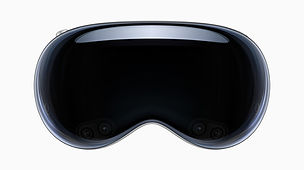


Bring patient-specific CT/MRI visualization into an immersive research workspace. Move through exact source slices, align landmarks with Hand or Muse, and refine a static overlay with traced surface points.
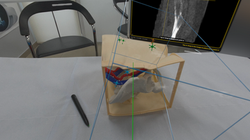
Touch3D Scan pelvis demo
 |  |  |  |
|---|---|---|---|
 |  |  |  |
 |  |
TOUCH3D SCAN FOR APPLE VISION PRO
Touch3D Scan is a local-first visionOS workspace for viewing compatible CT, MRI, DICOM, scientific-volume, mesh, and USD-family files in windows and mixed immersive space.
WHAT THE APP DOES
- Displays sagittal, coronal, and axial source views.
- Provides single-slice, tri-planar, thick-slab, peel, Cine, and informative full-stack review.
- Provides Composite, MIP, MinIP, and ISO volume rendering.
- Imports compatible files selected by the user through Apple's Files interface.
- Provides guided research and engineering workflows for corresponding-point and surface-based software alignment estimates.
- Reports software residuals, rejected correspondences, coverage, and independent holdout observations.
HARDWARE USED
Touch3D Scan runs on Apple Vision Pro. The primary physical input method is Apple Vision Pro's built-in Hand Tracking. A compatible Logitech Muse may optionally be used as a general-purpose spatial input accessory for selecting a point, tracing a surface, and issuing Undo.
Touch3D Scan does not connect directly to a CT scanner, MRI scanner, ultrasound system, surgical navigation system, tracking camera, instrument, or other regulated medical hardware. It imports compatible user-selected files. Muse is optional and is not represented as medical hardware.
LOCAL-FIRST DATA FLOW
The submitted public build does not require an Orthopractis account and does not automatically upload selected medical-image files, points, surface samples, transformations, or results to Orthopractis. Files remain under the operator's control unless the operator deliberately exports or shares them.
Method 3 can export a study-specific request and import an independently reviewed external-surface manifest. The public build does not contain an automatic Orthopractis segmentation service or an embedded automatic SAM service.
REGULATORY AND SAFETY STATUS
No medical-device or medical-hardware regulatory clearance is claimed in any jurisdiction.
Touch3D Scan is intended only for visualization, education, research, demonstration, engineering evaluation, and software testing. It is not intended for diagnosis, treatment, surgical navigation, emergency care, or medical decision-making. Do not use the app as the sole basis for a medical decision. Seek advice from an appropriately qualified doctor in addition to using the app and before making any medical decision. Use validated and appropriately authorized systems for clinical care.
Software registration is static. It must be repeated after relevant movement of the person, anatomy, bed, support, headset, or tracking coordinate system. A low software residual does not establish clinical or anatomical accuracy.
THREE CLEAR REGISTRATION METHODS
1. Guided anatomical points
Select point A in the CT/MRI, touch the identical point B on the patient with Hand or a compatible spatial stylus, repeat four times, robustly match the pairs, repair any rejected point, and verify with independent holdouts.
2. Continuous skin point cloud
Start with the same four-point seed, trace separated patient skin zones with Hand or Muse, and refine the alignment against a reviewed external scan-skin surface using landmark-anchored, zone-constrained robust fusion.
3. SAM-assisted skin fusion
Export the exact study request, prepare and human-review the external scan skin through an external SAM workflow, import the validated manifest, then complete the same physical points, patient traces, geometric fusion, and independent verification. SAM prepares the scan-side surface; it does not independently calculate the patient transform.
BUILT-IN TRAINING
A dedicated Training & Demo window includes method schematics, narrated tutorials, simple step-by-step instructions, completion gates, stop conditions, and access to a downloadable pelvis demonstration package.
HAND AND MUSE
Use the selected index fingertip or a compatible tracked spatial stylus for discrete landmarks and continuous skin traces. Persistent crosshairs show accepted points.
